
In order to report an absence, you will be able to find the form by going into your 'Assignments / Timesheets' page and when inside an assignment you will be able to find the button to report an absence.
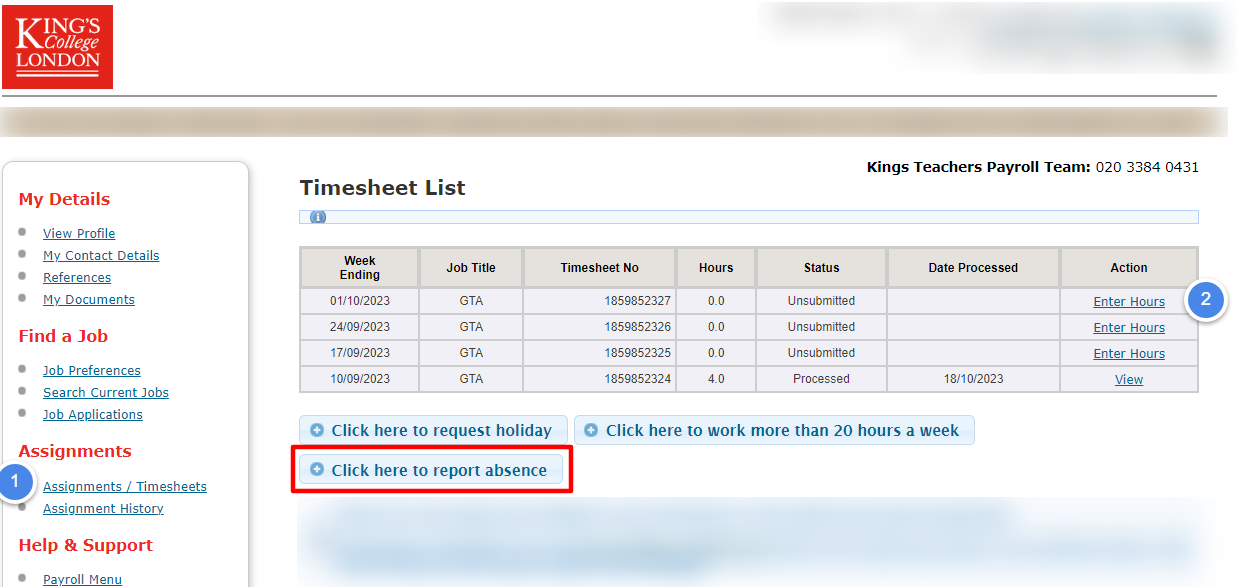
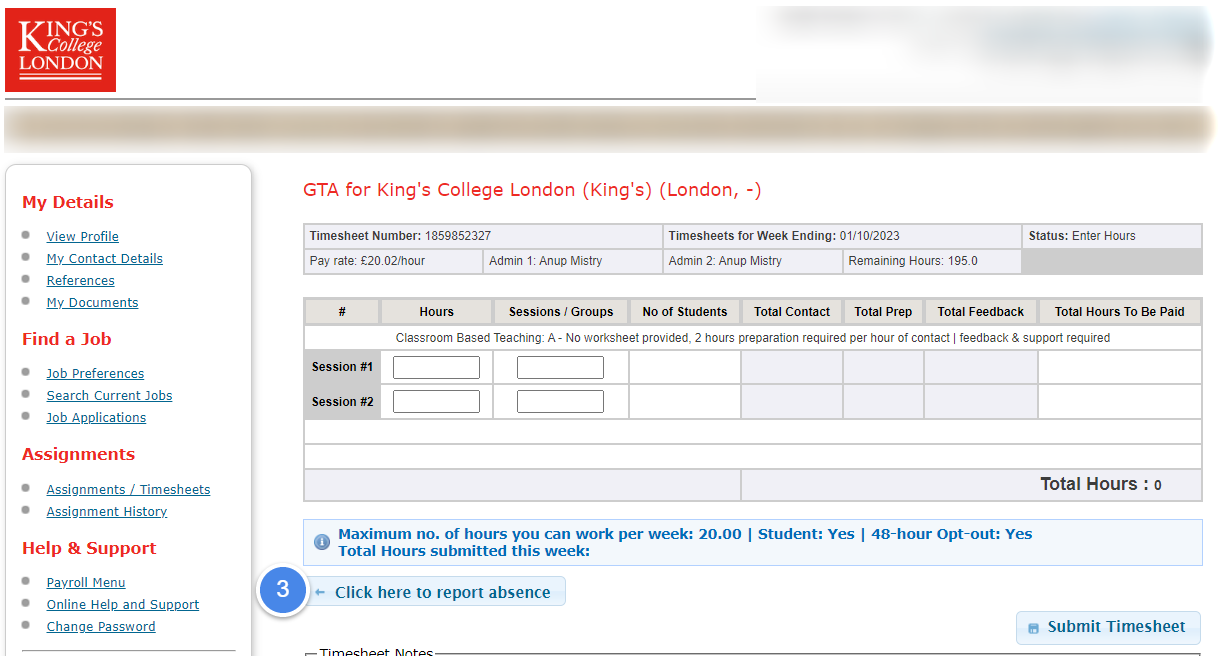
This button is also available when inside a timesheet also.
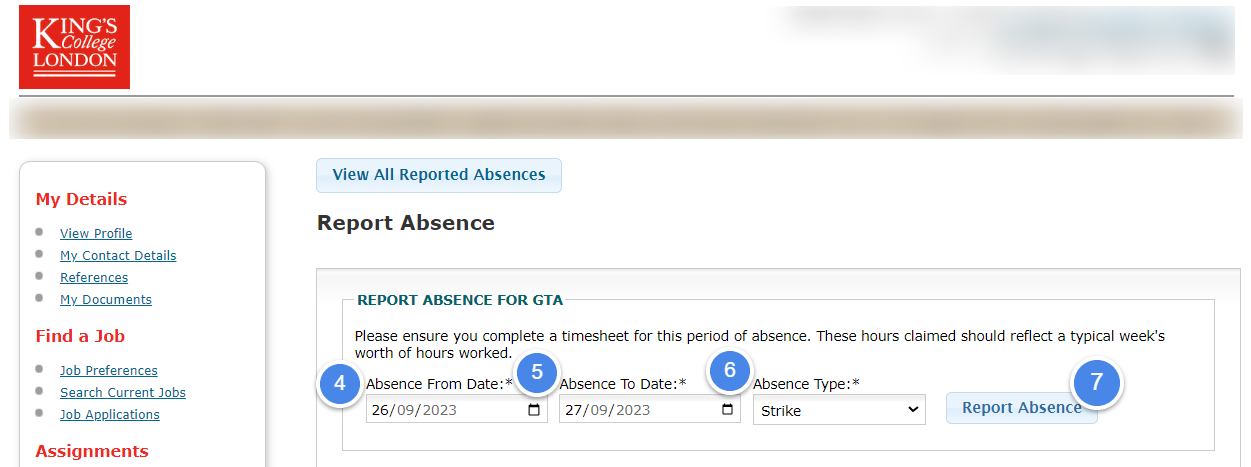
When you land on the form page, you will need to enter the start of your absence (Absence From Date) and the end of your absence (Absence To Date). After you complete that and choose an Absence type from the drop down menu, you will be able to submit this form.
You will then also complete your timesheet as normal after you have reported your absence.
What is the process for taking sick leave?
If an employee is absent from work due to sickness or incapacity, they must notify their line manager or department/school of the reason for your absence as soon as possible.
After this, you will be able to complete your timesheet as normal.
Please also refer to Sickness support | King’s College London and the Sickness Absence Management Policy and Procedure.
Any sickness self-certificates should be sent directly to kingsteachers@kcl.ac.uk